1.1.1 Non-text content
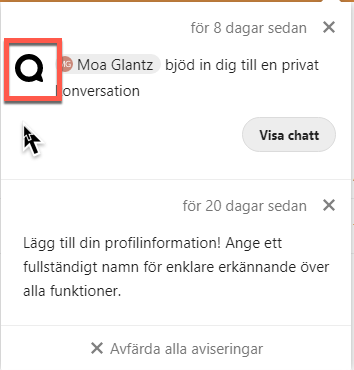
There are graphics without alternative texts in several places. In the example below the icon is there to show which kind of notification it is, this should be conveyed in its alternative text.
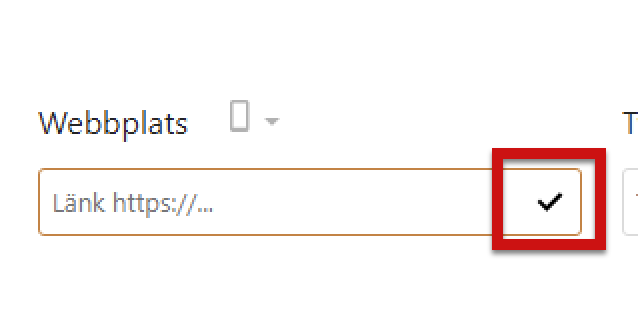
A check mark is used to show when personal data has been verified on the page for profile settings. This check mark is a graphical object without an alternative text.
Filer app
The icon to show that a file is locked does not have a description. In addition to giving it an alternative text communicating it’s purpose, this should also be conveyed to screen reader users when they reach the file in question, see 1.3.1 in this report.

Deck app
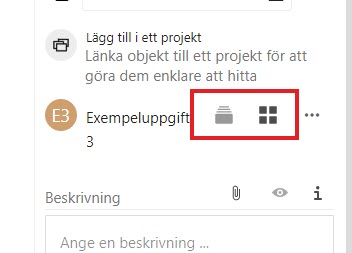
In the fly-out in the right side menu, there are images without alt-attributes, which must be present for such elements. They are placed in links without link texts, which means that screen reader users don’t get any information on their purpose.
There seems to be a dynamic reading of a text through aria-describeby, but it disappears.
You can use the alternative texts for the images to give these links understandable link texts. Or you can give them alt="" and place texts in the links for much the same effect.
- Give alternative texts to graphical objects by using the alt-attribute
- If the graphical objects is purely decorative and not needed to understand interface give it an empty alt-attribute, alt=""
- If a link has an image in it the text in the alt-attribute works as a link text