
2.1.4 Character key shortcuts
Talk app
There are keyboard shortcuts for activating different functions in the Talk app. Shortcuts such as these can interfere with shortcuts used by some assistive technologies.
To follow the WCAG-requirements, and make sure that this can work with these assistive technologies the best option would be to give an option to turn off these shortcuts.
You could also make it so the shortcuts are only active when the user has focused on the area they affect.
We also recommend that you test to make sure the shortcuts don’t interfere with screen reader commands in particular.
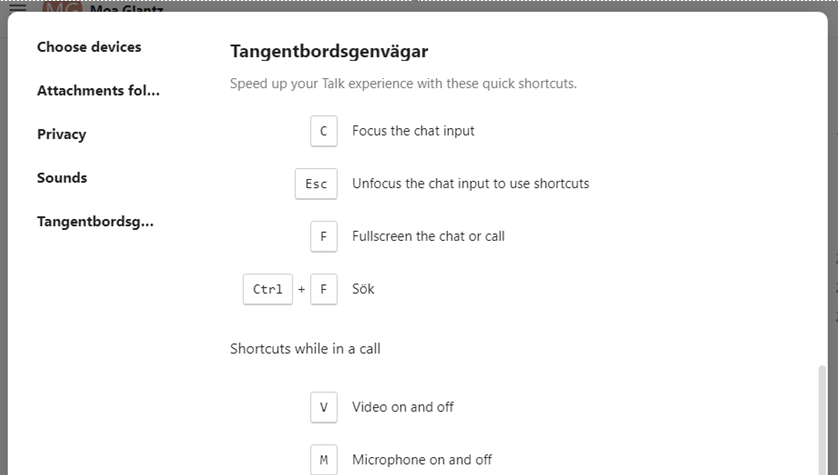
- Give an option to turn off keyboard shortcuts
- Set them to only be active when the user is in the area they affect
- Test so the shortcuts don’t interfere with screen reader commands