
1.4.10 Reflow
Since focus is on desktop reflow isn’t a critical issue. But if a goal in the future would be to make the service work better on mobile devices this would need to be addressed.
The WCAG requirement for Reflow is:
Content can be presented without loss of information or functionality, and without requiring scrolling in two dimensions for:
- Vertical scrolling content at a width equivalent to 320 CSS pixels
- Horizontal scrolling content at a height equivalent to 256 CSS pixels
Except for parts of the content that require two-dimensional layout for usage or meaning.
This generally works, but we found problems in two apps.
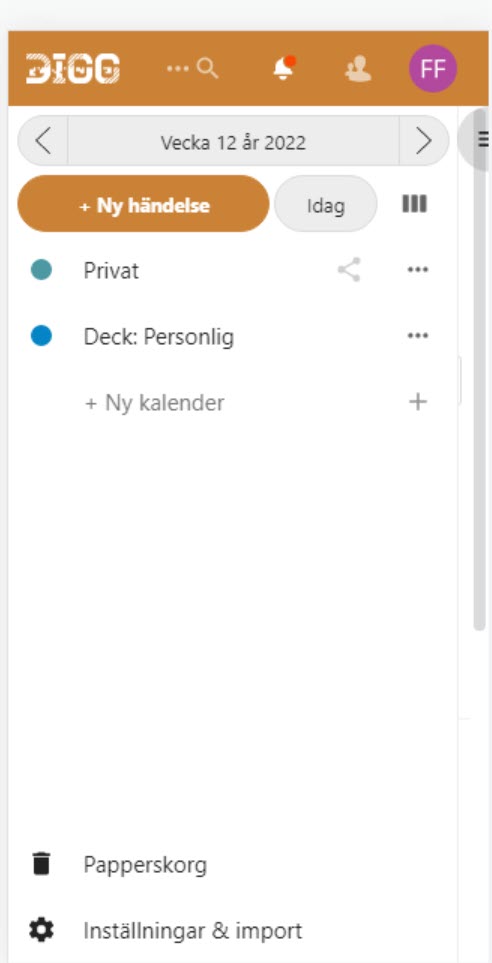
Kalender app
When using the Kalender app on a smaller, vertical screen and activating “Ny händelse” a fly-out menu opens from the right. This should open on top of interface, but it opens under the menu field, and the user won’t be able to reach it.
This does not technically fail this WCAG-criterion, though it would be a serious issue for someone trying to use the Kalender app on a mobile phone.
Deck app
When using the Deck app on a smaller screen the user has two scroll in two directions to reach all the content, which fails this WCAG-criterion.
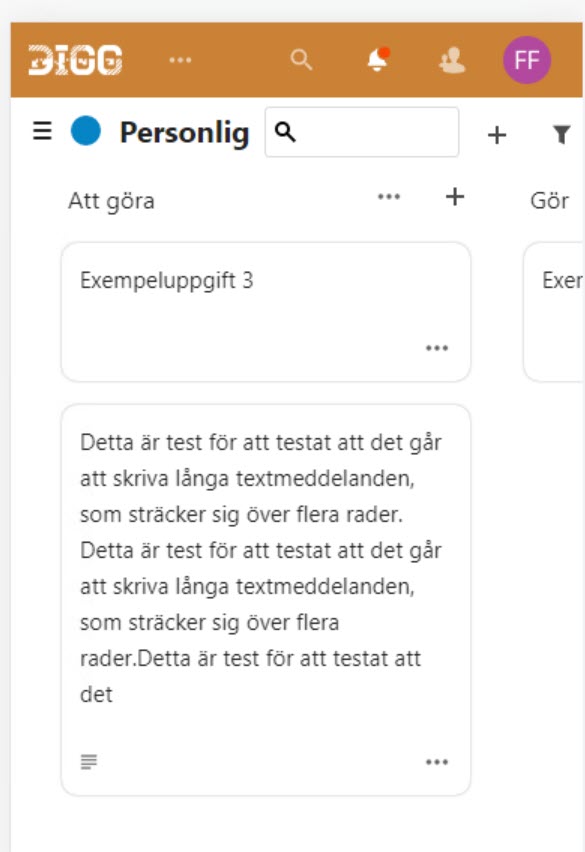
- Make sure the interface can be used on smaller screens wihout loss of content and without requiring scrolling in two directions according to the WCAG-criterion.